

Members Only
StreamUP Pattern Tiler Shader
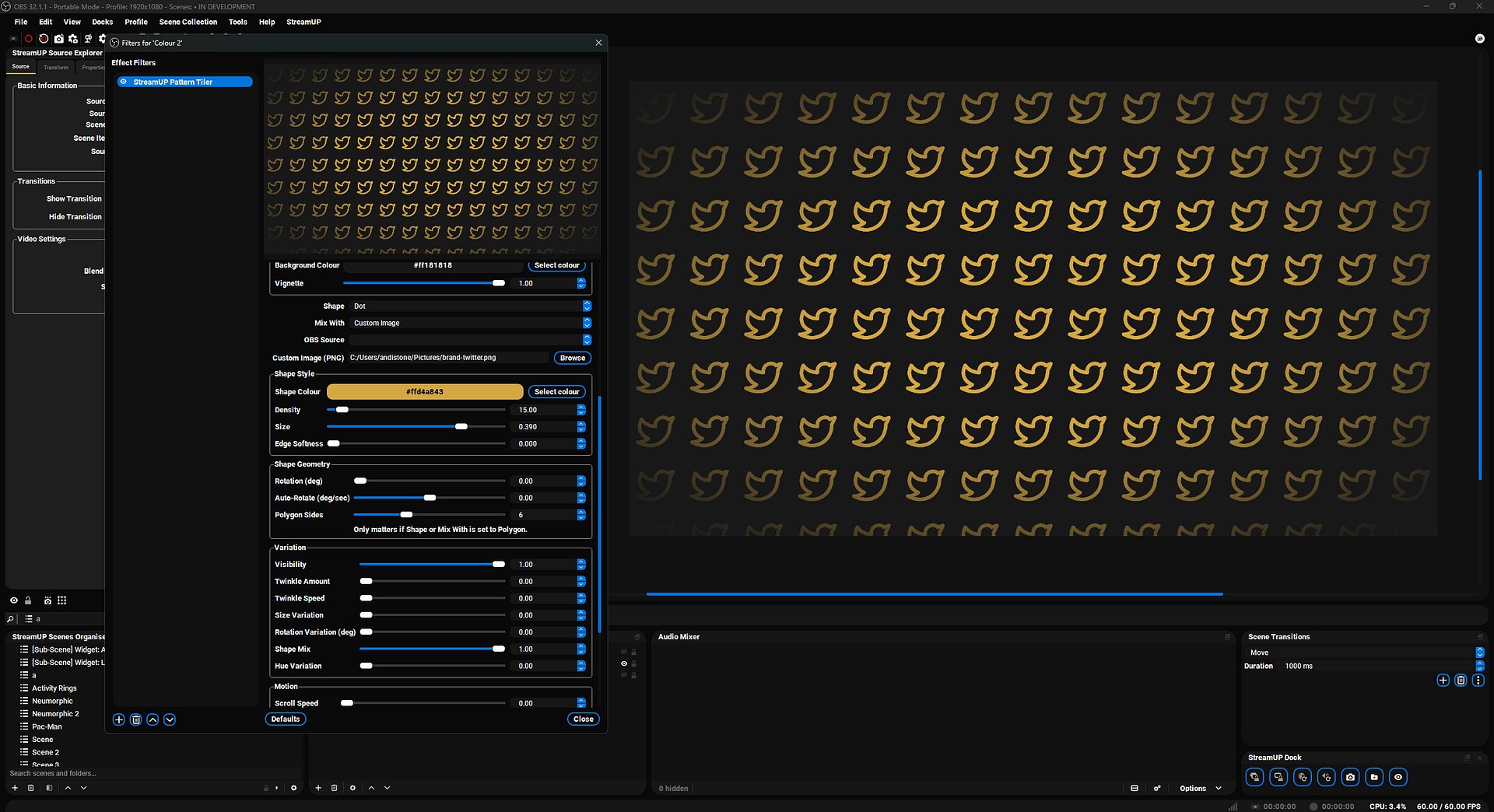
StreamUP Pattern Tiler
Animated tile patterns for OBS. Drop it on a Colour Source, pick a shape, dial the grid. Done.
Starting Soon, BRB, ending screens. Each cell is a dot, ring, star, polygon, line, OBS source, or your own PNG. Add motion. Add hue jitter. Mix two shapes if you want.
Features
- 10 shape types. Dot, ring, square, diamond, plus, polygon, star, OBS source, line, custom image.
- Shape mixing. Two shapes across the same grid. Set the ratio.
- Aspect presets. Square, 16:9, 9:16, 4:3, 3:4, 21:9, 9:21. No manual masking.
- Grid density. 5 to 200 cells. Anchor to centre, corner, or edge.
- 5 motion types. Scroll, drift, pulse, twinkle, auto-rotate. Stack them.
- Per-cell randomisation. Visibility, size, rotation, hue. Each cell is its own thing.
- Vignette and cutout mode. Punch holes for reveal effects or fade the edges.
- Edge softness and padding sliders. Tune the look without redrawing anything.
Setup
- Install obs-shaderfilter if you haven't already.
- Download
streamup-pattern-tiler.shaderfrom your member dashboard. - Add a Colour Source to your scene in OBS.
- Right-click the source, Filters, +, User-defined shader.
- Point Shader text file at
streamup-pattern-tiler.shader. - Pick a shape. Dial the grid. Layer your overlays on top.
Patch notes
v0.0.2, 2026-05-12
- Configurable density anchor: centre, corner, edge
- Fixed shape clipping at cell edges with a 3x3 neighbour lookup
- Independent hue variation hash so cells re-randomise per frame
- Optimised HSV conversion
v0.0.1, 2026-05-11
- First release. 10 shapes, drift, pulse, scroll, twinkle, visibility, hue, size, rotation variation, background fill, vignette, shape mixing.
Docs and Support
- Full docs: docs.streamup.tips
- Discord and community: StreamUP.tips


