

StreamUP Pattern Tiler Shader v0.0.2
StreamUP Pattern Tiler
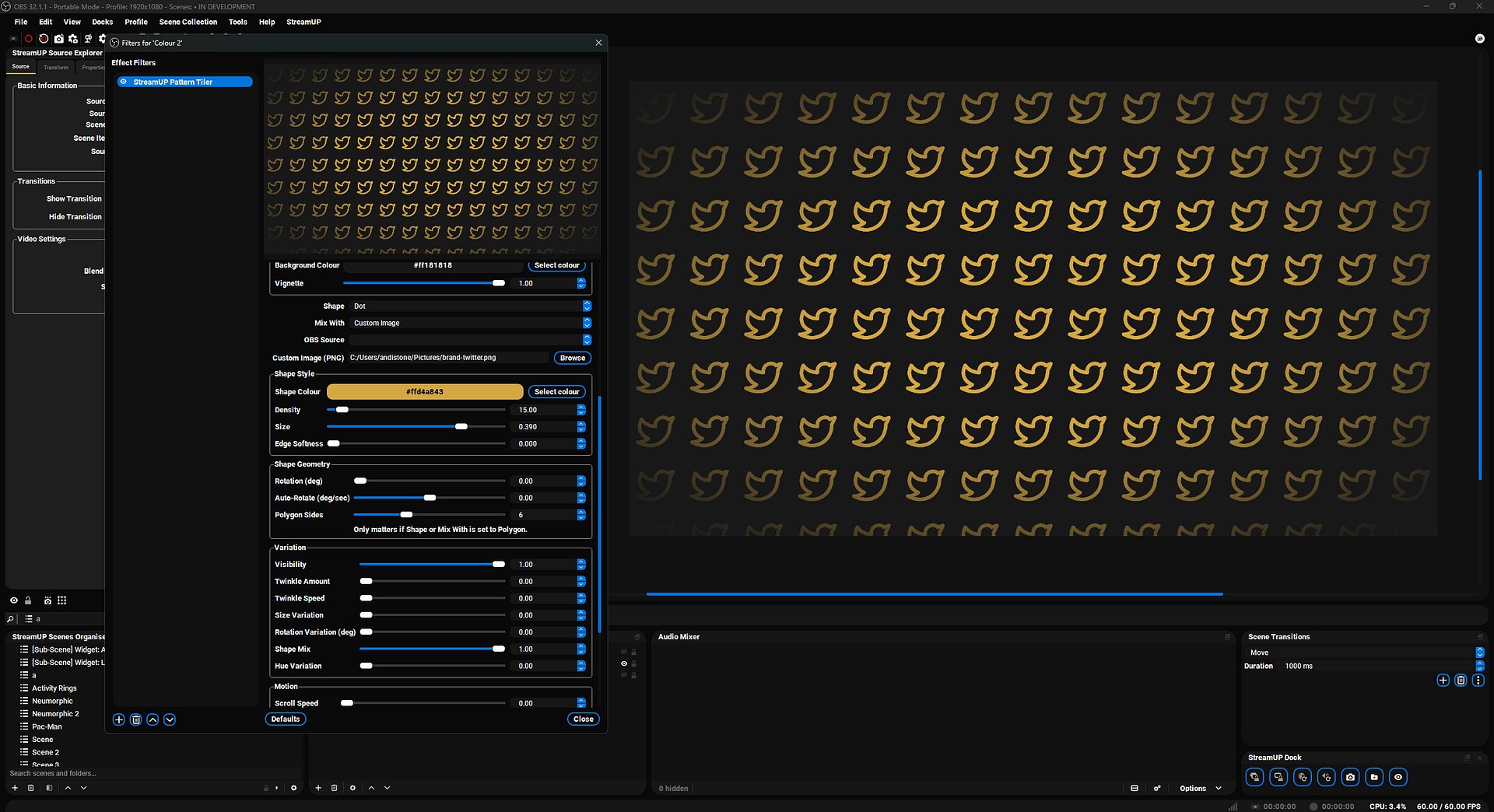
An animated pattern shader for OBS. Drop it on a Colour Source, pick a shape, adjust the sliders. That's the whole setup.
Built for the screens you stare at most as a streamer. Starting Soon, BRB, Ending. The ones that need to look good for ten minutes straight without burning a video file's worth of disk space.
What it does
Tiles a shape across the canvas in a grid, then animates the whole thing. Eleven shape options, including your own PNG or any OBS source.
- Shapes: dot, ring, square, diamond, plus, polygon, star, horizontal line, vertical line, OBS source, custom image
- Mix: blend two shapes in the same pattern with a single slider
- Motion: scroll the whole grid, drift each cell, pulse each shape, twinkle on and off
- Variation: hue jitter, size jitter, rotation jitter, visibility chance
- Style: any colour, any density, any size, optional vignette, edge softness
Use it for
- Starting Soon screens with a moving brand background
- BRB and Ending overlays that don't need a video file
- Logo wallpapers (point Custom Image at your logo PNG)
- Subtle ambient texture behind a webcam or chat overlay
- Halftone, polka dot, scrolling stripe, drifting star backgrounds
What you get
One .shader file. Drop it into your obs-shaderfilter shaders folder and you're done. No installer, no DLL, no extra plugin beyond obs-shaderfilter itself.
Requires
- OBS Studio
- obs-shaderfilter v2.6.0 or newer
Full setup guide and recipe presets in the StreamUP docs.
v0.0.2 (2026-05-11)
-
Density anchor: Density now scales from a configurable anchor instead of the top-left corner. New Anchor X (%) and Anchor Y (%) sliders default to 50/50, so the grid grows symmetrically from the canvas centre by default. The anchor sits at a cell centre at every value, keeping the pattern clean.
-
Fixed shape clipping: Drift, pulse, size variation and polygons now spill cleanly across cell edges using a 3x3 neighbour lookup. The static path still runs as a single cell for everything else.
-
Hue Variation: Hue variation now uses its own salted hash. Hue and drift directions previously shared a hash, meaning low-drift cells could also get low hue variation. These are now independent.
-
HSV optimisation: Moved the Shape Colour HSV conversion out of the per-cell loop. The 3x3 neighbour path was previously running
rgb2hsvup to nine times per pixel for a value that never changes between cells. -
Motion speed ranges: Twinkle, drift and pulse max values have been raised to 10 for snappier animations. Auto-Rotate now supports plus/minus 360 degrees per second, allowing one full rotation per second.


